Your app should have an email address, not just a login page
Most software makes you operate it. Give the application an address and it works on your behalf instead.
Think about how a traditional SaaS app works. You log in. You click around. You upload files. You spend time inside the app. You are operating it.
What if the app operated on your behalf instead?
For a long time, a simple idea has been forming in my mind. What if the application has its own email address, and you can just forward it files, messages, and instructions for whatever you need done? This is entirely possible with standard tools that are easy to set up and consistently reliable.
The simplest version of an agent is an email
The word “agent” has accumulated a lot of noise. Strip it back to first principles and an agent is just a system that receives intent, decides what to do, and acts. Email fits that definition perfectly. You express intent (the message), attach context (the files), and the system does the rest.
Give your application its own email address. Then users can forward files, attach instructions, and send requests to that address. The system receives, authenticates, processes, and completes the work in the background. The user never logs in.
I built this for a commission management platform that insurance firms use. Every month, firms receive new commission data files from their providers. These files carry inherent parsing complexity: new agents, changed rates, structural inconsistencies between providers. Historically, a user would log in, upload the file, wait for parsing, review errors, and manually resolve each one. The entire workflow required the user to sit inside the app.
Now they forward the file to an email address and move on with their day.
The system parses the files through production Python parsers, validates the data against existing records, flags anomalies, and stores everything. If the agent needs clarification (an ambiguous agent name, a rate that doesn’t match any known structure) it replies to the email thread and asks. The user responds when they have a moment. The loop continues until the work is complete.
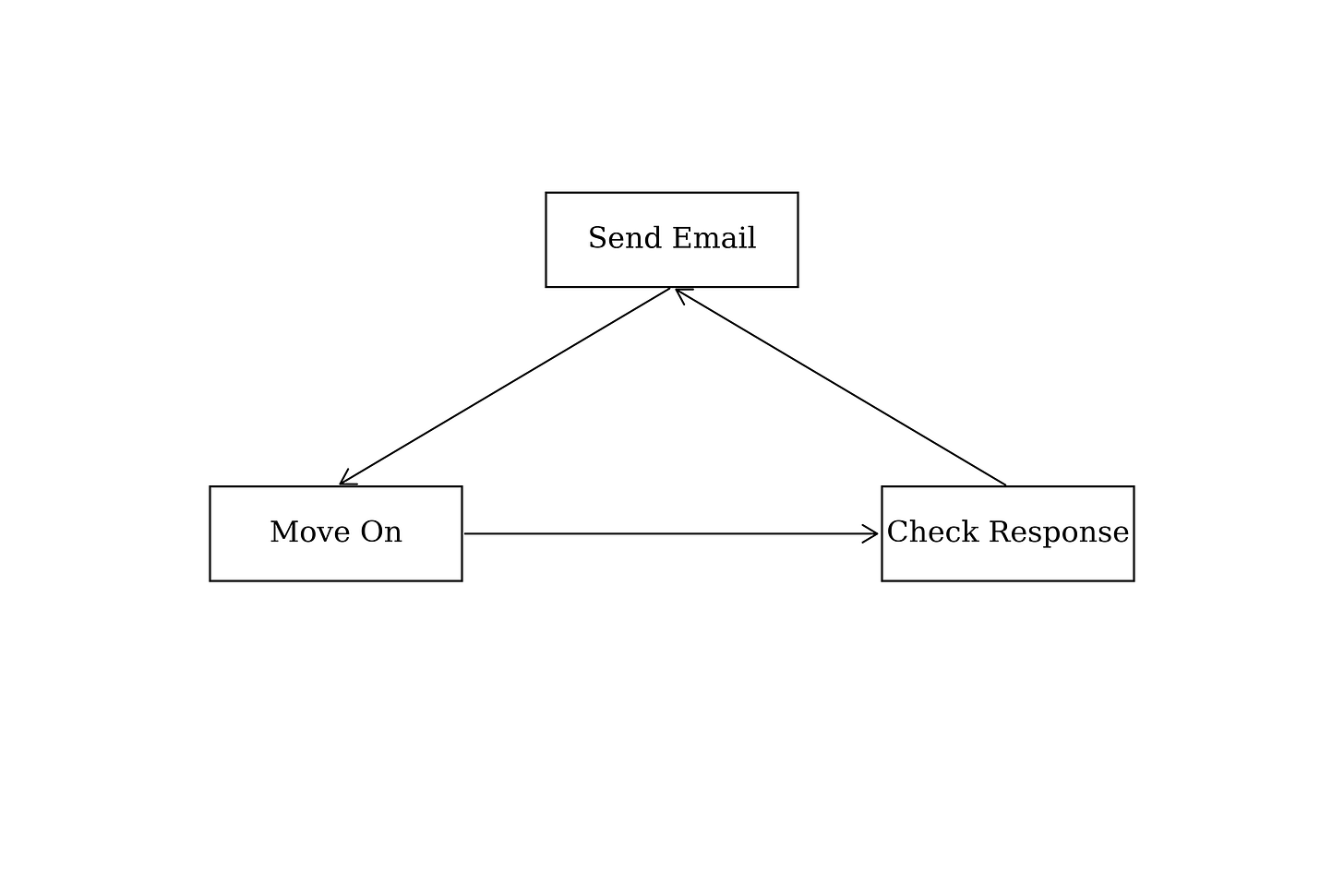
The entire interaction model is: send email, receive confirmation or follow-up question, done. This is identical in shape to how you work with a human colleague. The difference is that this colleague is perpetually available, never forgets context, and processes files in minutes rather than hours.
The architecture is four ordinary components
The infrastructure behind this is deliberately boring. Nothing here is novel. That is the point: the value is in the design pattern, not the technology.
First, an email domain. This can be your app’s existing domain or a simple subdomain. It receives inbound messages and routes them to a worker for processing.
Second, a worker. This is the first thing that touches an inbound email. It authenticates the sender against an allowed-senders table (one row per authorized address, with metadata for audit trails). If the sender is not recognized, the email is dropped. No ambiguity. If authenticated, the worker extracts attachments, parses the message body for instructions, and routes everything to the correct storage and processing pipeline.
Third, a backend API. This runs deterministic processing: the production parsers that handle commission files, validation logic, data storage. No LLM in this layer. These are the same parsers that would run if the user uploaded the file through the app’s front end. The trigger is different; the processing is identical.
Fourth, a sandboxed agent environment. Once deterministic processing completes, the API triggers an LLM agent in a sandboxed environment. This agent handles anything requiring judgment: interpreting what changed in this month’s file compared to last month, configuring new rates for a new period, responding to freeform instructions the user included in their email. The sandbox is synchronous with the API call, meaning the output is streamed back and verified before anything is committed. The timeout is generous (thirteen minutes) because rigor matters more than speed here.
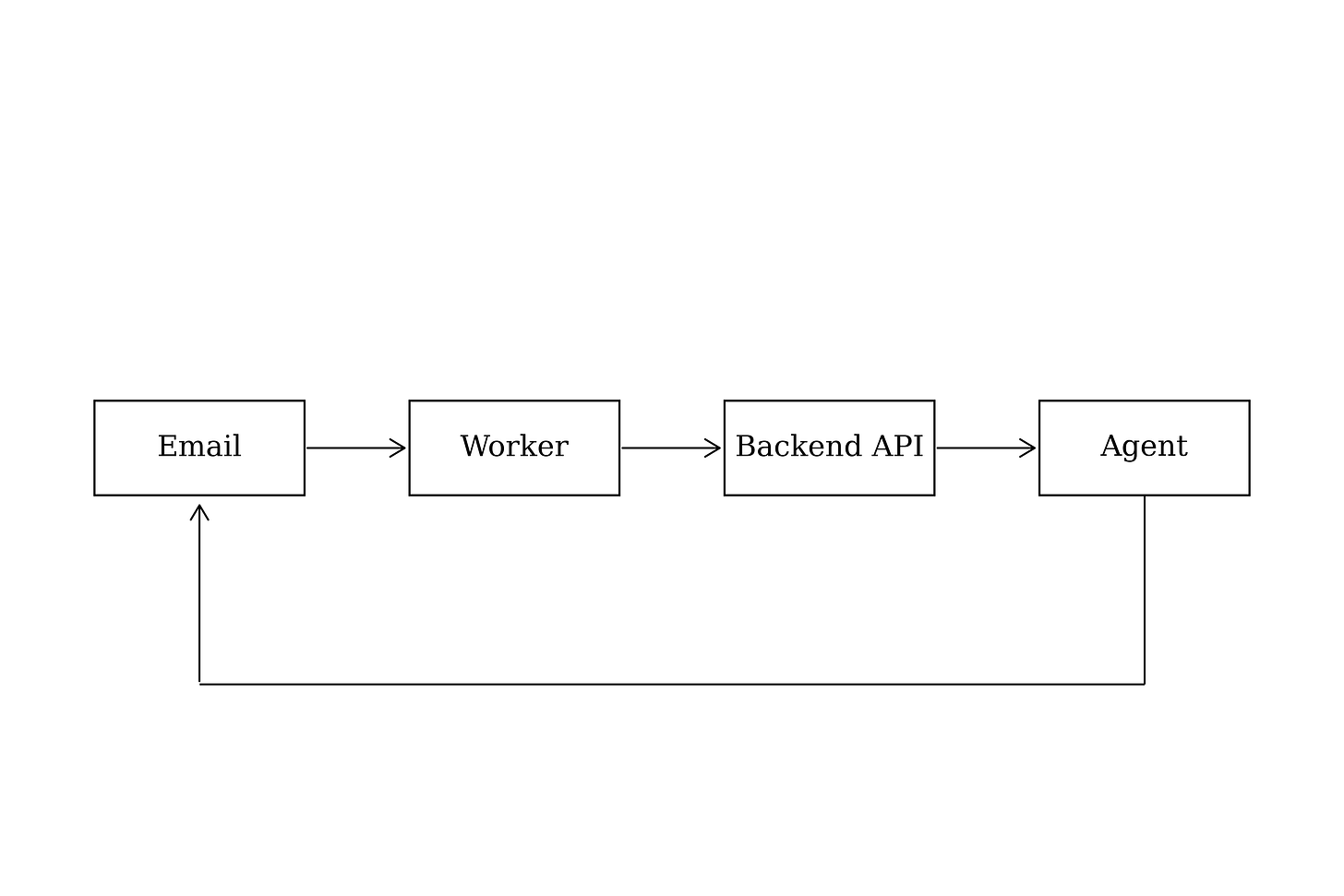
The agent can send follow-up questions back through the email thread. This creates a genuinely asynchronous collaboration loop. The user is not waiting on a loading spinner. They sent an email, and they will get a response when the work is done or when a question needs answering. Just like working with a person.
Reason from first principles about where your interface lives
Every app has one central function. One reason someone uses it, the core value proposition of your tool. The question worth asking before you build any interface: does that function require a custom screen, or could it travel through a channel the user already inhabits?
This is where most software gets it wrong by default. We build login pages, dashboards, navigation bars, settings screens. We build these because that is what apps look like. But “what apps look like” is convention, not principle. The presentation layer should be derived from the nature of the core function and the habits of the user, not from what other apps happen to do.
Two valid design paths exist.
The first: your tool is delivered through a bespoke interface that genuinely increases the quality of the experience. A design tool needs a canvas. A code editor needs syntax highlighting and a file tree. A mapping application needs a map. In these cases, the interface is inseparable from the value. The custom UI is not overhead; it is central to the product.
The second: you conform as closely as possible to the user’s existing workflows. If the core function reduces to “receive input, process, return output,” then the interface is a delivery mechanism, not a product. Here, the highest-leverage move is to meet the user where they already are.
Both are correct. The nature of your core function decides which path is natural. But most apps default to the first path without ever seriously considering the second. They build a full interface because that is what you do when you build an app. The result is that users must learn and operate a custom tool for a function that could have been an email.
The test is straightforward. Does your user prefer giving text instructions over clicking buttons? Do they already communicate the relevant information through email or messaging? Is the core value in the processing, not in the interaction with a screen? If the answer to any of these is yes, wrapping your core function behind an email address is not a limitation. It is a higher-leverage interface than anything you would build custom.
The real value is background processing
The deeper point is not about email as a protocol. It is about when work happens relative to the user’s attention.
In a traditional app, processing is synchronous with the user’s session. You upload, you wait, you review, you fix, you upload again. Your attention is locked to the app for the duration of the work. The app cannot do anything without you present.
With an email-triggered system (or any async system), the entire processing pipeline runs in the background before the user ever considers opening the app. For commission files with inherent parsing complexity, this matters enormously. The validation, anomaly detection, and initial resolution all happen between the moment the user hits send and the moment they next check their inbox. By the time they look, the work is either done or a specific question is waiting for them.
This is the difference between operating a tool and delegating to a teammate. You do not sit next to a colleague and watch them process a spreadsheet. You hand it to them, explain what you need, and check back later. The email-based agent design creates exactly this dynamic.
This generalizes beyond commission files
The pattern is simple enough to apply anywhere the core function is receive, process, return.
Consider a research assistant. You forward an email with a topic and constraints. The system runs deep research: searching, reading, synthesizing. Hours later, a finished report arrives in your inbox as a PDF or a link to a hosted page. You never opened an app. You sent an email and received a deliverable.
Consider an accounting tool. You forward receipts throughout the month, one email at a time or batched. At month end, you send a message: close the books for March. The system categorizes, reconciles, and produces a summary. The entire interaction happened inside your inbox.
Consider a document review system. You forward a contract. The agent reads it against your standard terms, flags deviations, and replies with a structured summary of what needs attention. You respond with approvals or questions. The negotiation prep happens through a channel you check thirty times a day anyway.
In each case, the same structure holds. The email is the trigger. The backend does the work. The inbox is the interface. The user never has to learn a new tool, navigate a new layout, or remember a new login.
Email is the most underexploited interface in software
Email is a powerful and completely generalizable channel that every professional already uses. Instead of fragmenting services into custom interfaces, consider whether your core value could travel through a channel your users already live in.
The strongest argument for this design is not technical. It is behavioral. You are not asking users to change how they work. You are not asking them to adopt a new tool, learn a new interface, or build a new habit. You are inserting your service into a workflow that already runs every single day. The friction drops to near zero because the interaction model is one the user has practiced for decades.
This is what making a tool feel like a teammate actually means. Not a chatbot inside your app. Not a sidebar with a language model. A system that receives work through the same channel you use to communicate with every other person in your professional life, and delivers results the same way.
Always reason from first principles when you build a user interface. Too many of the interfaces you and I encounter are conventional without being thoughtful. The presentation is what makes or breaks the experience. If your app’s core function can travel through email, give it an email address.